


















Collect Now
Lovense Sex Toys
The Leader in
Connected Pleasure
For Her
For Him
For Unisex
For Couples
Max 2 + Nora Sale
Camming
Apps
Possibilities
Help Us Improve!
When browsing our dildo selection, do you see the type(s) you're interested in?

I see dildo machines

I see vibrating dildos

I see thrusting dildos

I see suction cup dildos

I see dual-stimulation/rabbit dildos

I don't see the type I'm looking for!

World’s first rotating bead rabbit

Targeted G-spot tapping with lifelike heating

Iconic rabbit with rotating motion
Swirling waves up and down the entire shaft
Body-like warmth during penetration
Deep spinning G-spot massage
Deep spinning G-spot massage
Rhythmic tapping directly engaging G-spot
*7,500/minDeep spinning G-spot massage
Familiar deep rumbling on clit
Familiar deep rumbling on clit
Familiar deep rumbling on clit
 Fizz
Fizz
 Gush 2 Motion
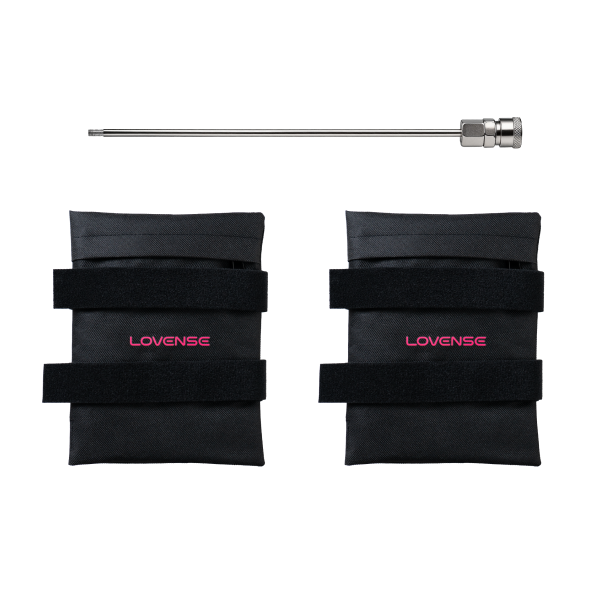
 Extension Rod Kit
 Ambi
Ambi
 Calor
Calor
 Diamo
Diamo
 Dolce
Dolce
 Domi 2
 Edge 2
 Exomoon
 Ferri
Ferri
 Flexer
 Gemini
 Gravity
 Gush
Gush
 Gush 2
 Hush
Hush
 Hush 2
 Hyphy
Hyphy
 Kraken
 Lapis
Lapis
 Lovense Mini Sex Machine
 Lovense Sex Machine
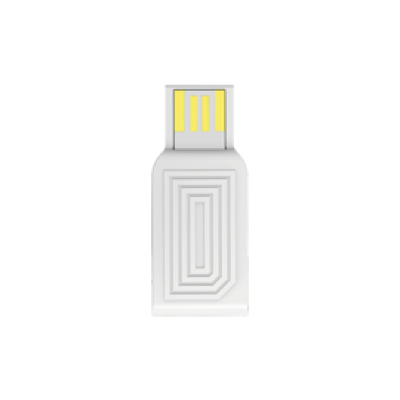
 Lovense USB Bluetooth Adapter
 Lovense Webcam
 Lovense Webcam 2
 Lush 3
 Lush 4
 Lush Mini
 Lush Anal
 Max 2
Max 2
 Mission 2
 Nora
Nora
 Osci 2
 Osci 3
 Ridge
Ridge
 Solace
 Solace Pro
 Spinel
 Tenera 2
 Vulse
Vulse
 Velvo
Velvo
Lovense Remote is available for iOS, Android, Mac, and Windows. Please click here to download the version you need. You can also download Lovense Remote from the iOS App Store or the Google Play Store.
0/1000
jpg/png/gif/bmp
(0/5)Upload a video
By clicking the Send button below, you hereby agree to and accept our Terms and Conditions and Privacy Policy
Lovense Remote is compatible with devices that run:
•iOS 14.2 and later
•Android 5.0 and later (with Bluetooth 4.0 enabled)
•Mac (with Bluetooth 4.0 enabled)
•Windows PC (requires a Lovense USB Bluetooth Adapter to connect)
0/1000
jpg/png/gif/bmp
(0/5)Upload a video
By clicking the Send button below, you hereby agree to and accept our Terms and Conditions and Privacy Policy
All Lovense toys work with the Lovense Remote app.
0/1000
jpg/png/gif/bmp
(0/5)Upload a video
By clicking the Send button below, you hereby agree to and accept our Terms and Conditions and Privacy Policy
1. Press and hold the toy's button to turn it on. A light will begin flashing to indicate it is turned on.
2. Turn on your phone’s Bluetooth. Open Lovense Remote and tap the connection icon in the upper right corner.
3. Tap [+] to begin searching for the toy. After your toy is found, tap “Done”. The toy’s light will stay on to indicate it is connected. Your toy can now be controlled by the Lovense Remote app.
0/1000
jpg/png/gif/bmp
(0/5)Upload a video
By clicking the Send button below, you hereby agree to and accept our Terms and Conditions and Privacy Policy
Do not try to pair the toy to your phone’s Bluetooth settings. Follow the instructions above to connect your toy. A pairing code is not required.
0/1000
jpg/png/gif/bmp
(0/5)Upload a video
By clicking the Send button below, you hereby agree to and accept our Terms and Conditions and Privacy Policy
You can connect up to seven toys to one device at a time when using Android version of Lovense Remote app and up to 10 - when using iOS version.
0/1000
jpg/png/gif/bmp
(0/5)Upload a video
By clicking the Send button below, you hereby agree to and accept our Terms and Conditions and Privacy Policy
No, each toy can only be connected to one device at a time.
0/1000
jpg/png/gif/bmp
(0/5)Upload a video
By clicking the Send button below, you hereby agree to and accept our Terms and Conditions and Privacy Policy
These permissions are required to enable the app’s features. You can choose to not allow permission from your phone’s on-screen prompt or change it in your phone's settings. Some features will not be available without certain permissions enabled.
0/1000
jpg/png/gif/bmp
(0/5)Upload a video
By clicking the Send button below, you hereby agree to and accept our Terms and Conditions and Privacy Policy
Yes, both of you need to create a separate account and then add each other as friends in order to use long-distance control.
0/1000
jpg/png/gif/bmp
(0/5)Upload a video
By clicking the Send button below, you hereby agree to and accept our Terms and Conditions and Privacy Policy
Lovense toys can be controlled no matter the distance, as long as you both have Wi-Fi or a 4G/5G data connection. Read how to set it up here.
0/1000
jpg/png/gif/bmp
(0/5)Upload a video
By clicking the Send button below, you hereby agree to and accept our Terms and Conditions and Privacy Policy
Yes. Your partner does not need a toy to control your toy through the Lovense Remote app. You both just need an account and Wi-Fi or a 4G/5G data connection.
0/1000
jpg/png/gif/bmp
(0/5)Upload a video
By clicking the Send button below, you hereby agree to and accept our Terms and Conditions and Privacy Policy
0/1000
jpg/png/gif/bmp
(0/5)Upload a video
By clicking the Send button below, you hereby agree to and accept our Terms and Conditions and Privacy Policy
No, only you have access to your friend list and they cannot see each other.
0/1000
jpg/png/gif/bmp
(0/5)Upload a video
By clicking the Send button below, you hereby agree to and accept our Terms and Conditions and Privacy Policy
iOS – swipe left on the contact’s name and tap "Delete".
Android – long press on the contact and tap “OK” on the prompt.
0/1000
jpg/png/gif/bmp
(0/5)Upload a video
By clicking the Send button below, you hereby agree to and accept our Terms and Conditions and Privacy Policy
For a new friend request – tap "Decline" after receiving the request. You will receive a notification asking "Do you also want to block this person?" Choose "Yes". For an existing contact – go to the "Settings" tab in your chat window and enable the "Block this contact" option.
0/1000
jpg/png/gif/bmp
(0/5)Upload a video
By clicking the Send button below, you hereby agree to and accept our Terms and Conditions and Privacy Policy
From the Long Distance tab, tap the icon in the top left corner and choose “Blocked”. Tap the user you wish to unblock and disable the “Block this contact” toggle switch.
0/1000
jpg/png/gif/bmp
(0/5)Upload a video
By clicking the Send button below, you hereby agree to and accept our Terms and Conditions and Privacy Policy
You can delete your account by logging in to our website. Click on “My Account” at the top right corner of the screen. On the next page, you will see an option called “Delete Account” under the My Profile section.
0/1000
jpg/png/gif/bmp
(0/5)Upload a video
By clicking the Send button below, you hereby agree to and accept our Terms and Conditions and Privacy Policy
Lovense Remote can sync with Spotify premium accounts (iOS devices only) and DRM-free music stored on your device. For other music, check out the guide here.
0/1000
jpg/png/gif/bmp
(0/5)Upload a video
By clicking the Send button below, you hereby agree to and accept our Terms and Conditions and Privacy Policy
After enabling this option, your chat with that user will show at the top of the Long Distance tab.
0/1000
jpg/png/gif/bmp
(0/5)Upload a video
By clicking the Send button below, you hereby agree to and accept our Terms and Conditions and Privacy Policy
1. Connect your toy and tap “Edit”. This feature is not supported in Nora, Max, Max 2, Domi, and Osci.
2. Tap “Program” and you can adjust the maximum vibration for your toy and/or add custom patterns into the toy, then tap “Save”.
0/1000
jpg/png/gif/bmp
(0/5)Upload a video
By clicking the Send button below, you hereby agree to and accept our Terms and Conditions and Privacy Policy
Currently, the toy’s name cannot be changed in your Bluetooth settings. You can change your toy’s name in the app. After connecting the toy, tap “Edit” underneath the toy’s name.
0/1000
jpg/png/gif/bmp
(0/5)Upload a video
By clicking the Send button below, you hereby agree to and accept our Terms and Conditions and Privacy Policy
For security reasons, we cannot change the email address associated with your account. If you'd like, you can delete your current account on our website and then create a new account.
0/1000
jpg/png/gif/bmp
(0/5)Upload a video
By clicking the Send button below, you hereby agree to and accept our Terms and Conditions and Privacy Policy
Firmware updates can help improve the Bluetooth connectivity of the toy. To update your toy’s firmware, tap the “Firm Update” icon and follow the in-app instructions. If you don’t see this icon, don’t worry, it means your toy is up to date.
0/1000
jpg/png/gif/bmp
(0/5)Upload a video
By clicking the Send button below, you hereby agree to and accept our Terms and Conditions and Privacy Policy
Lovense Remote is now available on iOS, Android, PC/Mac. You and your partner can use any of those devices to connect your toys.
0/1000
jpg/png/gif/bmp
(0/5)Upload a video
By clicking the Send button below, you hereby agree to and accept our Terms and Conditions and Privacy Policy
Your partner can control your toy(s) over any distance as long as both of you have a stable internet connection and Lovense Remote app downloaded!
You both need to connect through the app and once you do that, your partner will see different control options for your toy(s). They don’t need to have a toy to use Long-Distance Control options.
0/1000
jpg/png/gif/bmp
(0/5)Upload a video
By clicking the Send button below, you hereby agree to and accept our Terms and Conditions and Privacy Policy
If you encounter someone requesting money, using offensive language, referencing minors, or engaging in other violations during private or group chats, you can tap the user’s profile picture in the chat window, find the Report button, and submit evidence (e.g., chat logs) to file a report.
If you encounter such violations during a Control Link session, tap the report icon in the top-right corner of the chat window to open the report page, then submit your personal information and violation evidence.
If you encounter such violations during a Control Roulette session, tap the three-dot menu (⋯) in the top-right corner of the chat window, select Report, choose the violation type, and submit supporting records.
In addition to the above methods, you may also send a detailed report to our official support email: [email protected]. We will review your report as soon as possible.
0/1000
jpg/png/gif/bmp
(0/5)Upload a video
By clicking the Send button below, you hereby agree to and accept our Terms and Conditions and Privacy Policy
 The email address is not valid. Please try again.
Age Disclaimer
At LOVENSE, we are dedicated to providing a safe and responsible online environment for adults. We take our responsibility seriously and comply with all relevant regulations and guidelines.
All models featured on our website are 18 years or older. By accessing and using our site, you confirm that you are at least 18 years old and understand and accept the content on our site. If you experience any issues with our site, email our team at [email protected].
For information on the Custodian of Records required, please refer to our U.S.C. §2257 Compliance Notice.
Select Coupon
Not available
Lucky Buyer Discount

For your order over {0}
Expires in :
My coupon(s)










Unauthorized Domain
The domain you are currently visiting is NOT an official Lovense website.Please navigate directly to our official site: https://www.lovense.com
Copy Official LinkWe’d love your feedback
Take a quick 5-second survey, thank-you!
Start NowHow did you first hear about Lovense?
This order has been cancelled.
We will initiate a refund that should reach you within 7-10 working days.
This order has already been shipped out. You can’t cancel it now. Please contact us for further assistance.
For a better experience, we suggest you upgrade your browser or using other browser.