TL;DR
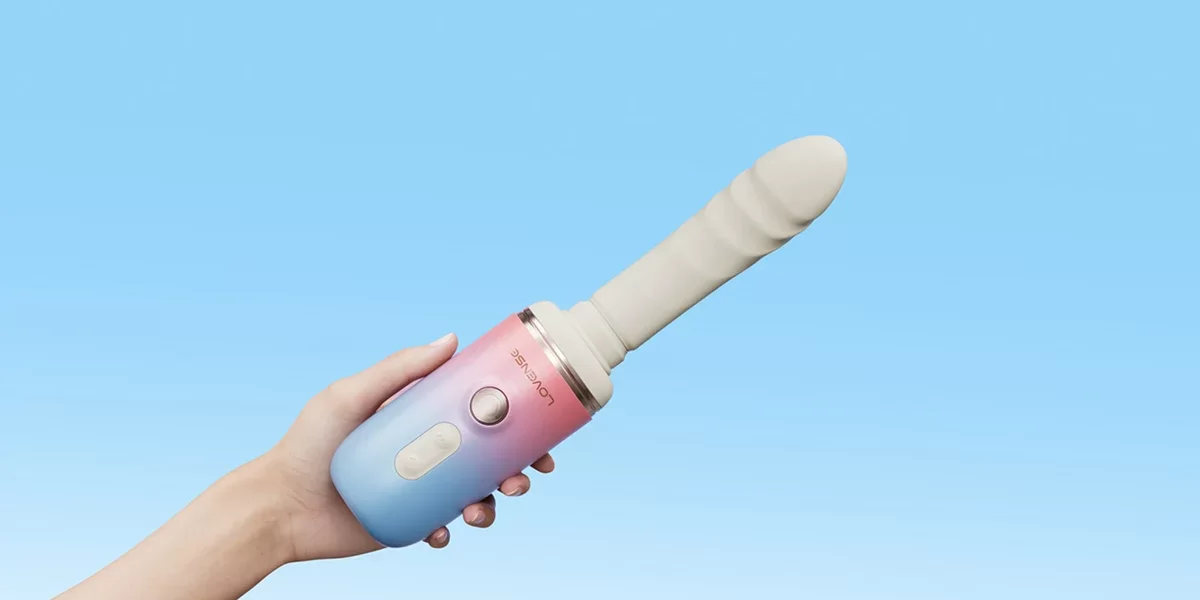
Lovense Spinel is a portable thrusting dildo machine with speeds reaching 1,450 thrusts per minute. Its app lets you fine-tune thrusting and vibration, create custom patterns, and share control with a partner. With interchangeable attachments, heating, and hands-free mounting options, it offers more flexibility than a basic thrusting toy.
Finding the right rhythm with a sex toy can take some experimenting. You might enjoy a slow, steady pace one day and want something faster the next. But when a toy only offers a handful of preset settings, getting exactly what you want can be frustrating, especially if you have to keep stopping to change the controls.
That’s where an app controlled dildo machine like Lovense Spinel comes in. It combines automatic thrusting, vibration, and heating with the Lovense Remote App, giving you more ways to adjust the movement without constantly reaching for buttons.
Whether you’re exploring solo, sharing control with a partner, or trying hands-free play, here’s how Spinel works and how to get more out of its rhythm settings.
What Is Lovense Spinel, and How Does It Work?
Lovense Spinel is a rechargeable thrusting dildo machine that combines several types of stimulation in one compact device. Unlike traditional vibrators that stay mostly in place, Spinel has a motor that moves its attachment back and forth automatically.
It also includes vibration and heating functions, although these depend on which attachment you’re using. You can operate Spinel through its physical buttons or connect it to the Lovense Remote App for additional settings.
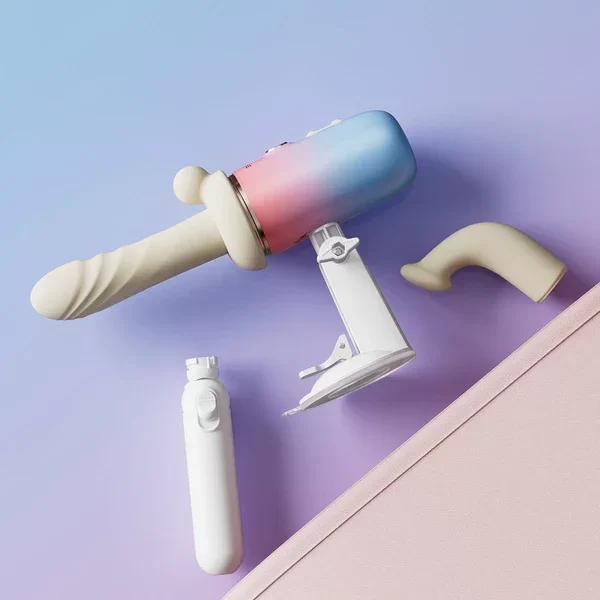
Spinel comes with two interchangeable dildo attachments. The straight attachment supports thrusting, vibration, and heating, while the curved attachment focuses on thrusting. This gives you a choice between combining several functions or keeping things simpler.
| Feature | Lovense Spinel |
|---|---|
| Thrusting speed | 395–1,450 thrusts/min |
| Turbo Mode | Up to 1,450 thrusts/min |
| Heating temperature | 39.5–42.9°C |
| Straight attachment | Thrusting, vibration, heating |
| Curved attachment | Thrusting |
| Controls | Physical buttons and Lovense Remote App |
| Mounting | Handheld, suction cup, handle |
| Suction cup adjustment | Up to 150° |
| Battery life | Up to 257 minutes |
| Charging time | 160 minutes |
| Water resistance | IPX6 |
| Warranty | 1 year |
One thing worth understanding is that thrusting speed and thrusting distance are different. Spinel can move very quickly, but its movement covers a shorter distance than that of a full-size sex machine. That’s something to consider if you’re comparing different types of thrusting toys.
For a closer look at the attachments, performance, and design, you can read our full Lovense Spinel review.
Why Adjustable Rhythm Makes a Difference
Speed is usually the first feature people look at when choosing an automatic thrusting toy. However, the way a toy changes speed can be just as important as how fast it goes. Some people enjoy a consistent rhythm that stays at the same intensity. Others prefer starting slowly and gradually increasing the pace. You might also like alternating between gentler movement and short bursts of faster thrusting.
With a basic toy, your choices may be limited to a few preset speeds. Spinel gives you more control through the Lovense Remote App, where you can fine-tune intensity and experiment with different patterns.
The biggest advantage is being able to make adjustments while you’re using the toy. If the movement feels too fast, you can lower the setting from your phone. If you’re comfortable and want to increase the intensity, you can do that too.
You also have the option to combine thrusting and vibration when using the straight attachment. This means you can experiment with stronger vibration and gentler thrusting, or the other way around. It’s a useful feature because finding a comfortable rhythm is often about making small changes rather than jumping straight to the highest setting.

How to Control Spinel With the Lovense Remote App
The free Lovense Remote App gives you access to Spinel’s interactive controls from your smartphone. It also opens up features such as custom patterns, music synchronization, and long-distance partner control.
Getting started is straightforward once you’ve charged the device and installed the app.
Step 1: Connect Spinel to the App
- Download the Lovense Remote App and sign in to your account.
- Turn on Spinel and enable Bluetooth on your phone.
- Open the app, select Add Toy, and choose Spinel when it appears.
- Follow the pairing instructions until the toy connects.
- Open the toy’s control screen to access the available settings.
Make sure you pair Spinel through the Lovense Remote App rather than directly through your phone’s Bluetooth settings. After the initial setup, the app can recognize the toy when it’s switched on and within Bluetooth range.
Step 2: Adjust the Thrusting Intensity
Once Spinel is connected, open its control panel in the app. From there, you can change the thrusting intensity without touching the buttons on the device.
Start at a lower setting and gradually increase it until you find a pace that feels comfortable. You can also explore the available patterns to see how different changes in intensity affect the movement.
The app is especially convenient during hands-free use, since you won’t need to reach around the toy to make adjustments.
Step 3: Explore Vibration and Heating
If you’re using the straight attachment, you can also adjust vibration and activate the heating function.
- Try keeping the thrusting at a steady pace while changing the vibration intensity. This makes it easier to understand how the two functions work together.
- Spinel’s heating function operates within a temperature range of 39.5–42.9°C. It adds warmth to the straight attachment, although personal preferences vary. Some users enjoy the added sensation, while others prefer using the toy without heat.
- The curved attachment is different because it supports thrusting only. Keep that in mind when choosing an attachment for a particular session.
Step 4: Create Your Own Patterns
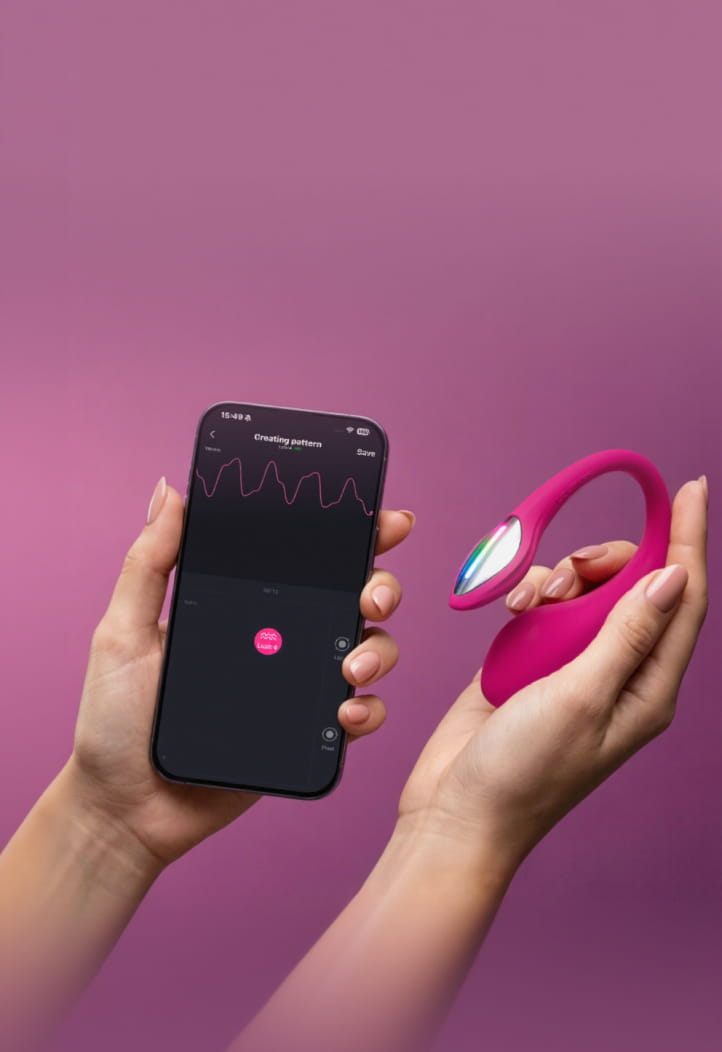
One of the more useful features of Lovense Remote is its custom pattern creator. Rather than cycling through the same preset options, you can experiment with your own intensity changes and save patterns you enjoy.
For example, you might create something that starts slowly, builds toward a faster pace, and then drops back to a gentler setting. You could also experiment with more frequent changes instead of maintaining one consistent speed.
Spend some time trying different combinations before saving a favorite. Once you’ve found something you enjoy, you can return to that pattern without starting from scratch.
Preset Rhythms vs. Custom Patterns: Which Should You Use?
There’s no need to create a custom pattern every time you use Spinel. Built-in settings are useful when you want something quick and familiar, while custom patterns give you more room to experiment.
| Preset Rhythms | Custom Patterns |
|---|---|
| Ready to use immediately | Require some initial setup |
| Simple to switch between | More personalized intensity changes |
| Good for learning the controls | Good for experimenting |
| Limited to available presets | Can be saved for future use |
| Less time spent adjusting | More flexibility over the pattern |
If you’re new to app-controlled thrusting toys, starting with presets can make the learning process easier. Once you’re familiar with the movement and intensity levels, custom patterns are worth exploring. You may also find that different patterns suit different situations. A steady rhythm might work well when you want something predictable, while a changing pattern could be more interesting when you’re in the mood to experiment.
Spinel’s Turbo Mode: When You Want Faster Thrusting
Spinel has a Turbo Mode that increases thrusting to its maximum speed of 1,450 thrusts per minute for up to 60 seconds. With the straight attachment fitted, you can activate Turbo Mode by holding the thrusting control for three seconds. The feature is also available through the app’s thrust control.
Turbo Mode is designed for people who enjoy very fast movement, but it’s worth getting familiar with Spinel’s regular settings first. Maximum speed can feel quite different from lower intensity levels, particularly when the toy is mounted rather than handheld.
🛑 You can always return to a lower intensity if the movement feels too strong. Having a high maximum speed is useful, but you don’t have to use it every session.
Hands-Free or Handheld: Finding the Right Setup
Another advantage of Spinel’s design is that you’re able to change how you hold or position it. Some people prefer controlling the angle themselves, while others want the toy to stay in place. Spinel supports handheld use, a detachable suction cup, and a handle attachment. Each setup offers something slightly different.
Handheld Control
Holding Spinel gives you direct control over the angle and positioning. You can move the device as needed, which can be helpful when you’re still figuring out which attachment or position feels best. You can use the physical buttons or the app to change the movement, depending on what feels more convenient.
Suction Cup Mounting
Spinel’s suction cup attaches to suitable smooth surfaces, including glass, tile, and laminate. It also adjusts up to 150°, allowing you to experiment with different angles. This is where app control becomes especially useful. Once the toy is mounted and positioned comfortably, you can make changes through your phone without having to reach for the device.
Remember
The suction cup needs a clean, suitable surface to hold securely. Check the attachment before use and avoid relying on unstable furniture or surfaces that might shift under movement.
Using the Handle
The handle provides another way to hold and position Spinel. It may be more convenient for users who prefer a dedicated grip rather than holding the main body of the toy. Whichever setup you choose, take a moment to check the attachment and positioning before increasing the thrusting speed.
Can You Sync Spinel With Other Lovense Toys?
Spinel can also participate in compatible Lovense Toy Sync setups, allowing it to respond alongside other connected toys.
There is a difference between ordinary remote control and motion-based syncing, though. Certain Lovense products have sensors that detect movement and send that information to a compatible toy. Spinel can respond in supported syncing arrangements, but it isn’t itself a motion-sensing controller toy. Depending on the devices involved, syncing may work in one direction rather than both.
More Ways to Personalize Spinel With Lovense
- Spinel’s app features extend beyond manually adjusting its thrusting speed.
- The Lovense Remote App includes music synchronization and sound-responsive controls, allowing compatible toys to react to audio instead of following only a fixed pattern.
- Spinel can also work with supported interactive games, videos, and other Lovense-connected experiences.
- Compatibility depends on the particular platform or feature you’re using.
If you’re interested in combining different types of stimulation, Lovense offers several Spinel bundles. These include Spinel with Gemini nipple vibrators, Domi 2 wand massager, Lush 4, or Solace Pro. These combinations provide different options for solo and partner use, especially when you want to add another device to an existing setup. You can explore them separately without needing to purchase a bundle to use Spinel’s main functions.
Is Spinel Better Than a Traditional Dildo Machine?
Spinel offers many of the features people look for in a thrusting sex toy, but it has a different design from a full-size sex machine.
A traditional machine generally uses a motorized mechanism to move an attached dildo through a longer stroke. Many are powered through an electrical outlet and need a stable position on the floor or another suitable surface.
Spinel is smaller, rechargeable, and easier to move around. Its thrusting motion is also shorter, even though its maximum thrusting frequency is much higher than that of some larger machines. That makes it worth looking at how a machine moves rather than comparing thrusts per minute alone. A longer stroke at a lower speed can feel quite different from Spinel’s short, rapid movement.
Common Mistakes When Adjusting Spinel’s Rhythm
Getting used to a new thrusting toy takes some experimentation. A few common setup mistakes can make the experience less comfortable than it needs to be.
- Starting at maximum speed: Begin with a lower intensity to get familiar with the movement before exploring faster settings.
- Changing too many settings together: Try adjusting thrusting and vibration separately at first so you can understand what each function adds.
- Choosing the wrong attachment: Remember that the straight attachment supports thrusting, vibration, and heating, while the curved attachment supports thrusting only.
- Mounting the suction cup incorrectly: Use a clean, compatible surface and check its stability before increasing the thrusting speed.
- Forgetting about lubrication: A compatible water-based lubricant can help reduce friction and improve comfort.
- Keeping the controls out of reach: Position your phone or the physical controls somewhere accessible so you can quickly pause or adjust the toy.
Spinel’s attachments are intended for external and vaginal use. They don’t have the flared base needed for safe anal insertion.
🛑 Also, remember that IPX6 means the device can handle water spray, but it should never be submerged.
Frequently Asked Questions
Can I use Spinel without the Lovense Remote App?
Yes. Spinel has physical buttons that let you operate its main functions without connecting to the app. However, using Lovense Remote gives you access to additional customization, patterns, and long-distance control.
Can I change Spinel’s thrusting speed from my phone?
Yes. After connecting Spinel to the Lovense Remote App, you can adjust the thrusting intensity through your phone. This is particularly useful when the toy is mounted or positioned somewhere that’s difficult to reach.
Does Spinel vibrate and thrust at the same time?
Yes, when using the straight attachment. You can combine thrusting and vibration or use the functions separately. The curved attachment only supports thrusting.
Can someone control Spinel from another country?
Yes. Lovense Remote supports long-distance control through an internet connection. Both users need a suitable connection, and Spinel must remain connected to the local user’s phone.
How fast does Lovense Spinel thrust?
Spinel operates between 395 and 1,450 thrusts per minute, with Turbo Mode reaching its maximum speed. The fastest setting is optional, and you can adjust the intensity according to your preferences.
Can Spinel be used hands-free?
Yes. Spinel includes a suction cup that attaches to suitable smooth surfaces and adjusts up to 150°. Once mounted securely, you can use the Lovense Remote App to change its settings without holding the toy.
Final Thoughts
An app controlled dildo machine gives you more flexibility over how you use a thrusting toy, and Spinel has several features worth exploring. Between its adjustable thrusting, interchangeable attachments, vibration, heating, and remote-control options, there are plenty of ways to experiment with different settings.
The main thing is finding a rhythm and setup that work for you. Start with the basic controls, explore the app when you’re comfortable, and see which features you actually enjoy using.
If you’re considering Spinel, compare its shorter thrusting motion with larger machines and think about whether portability, app control, and multiple functions are priorities for you.
Want More Reads?
- Lovense Spinel vs Gravity vs Mini Sex Machine: What Sets Them Apart
- Long-Distance Sex Devices: Which Type Actually Fits Your Relationship?
- 15 Best Sex Machine Positions for Maximum Pleasure