When you’re dealing with tech—any tech—there will always be the chance that something acts up, glitches, or doesn’t behave the way it’s supposed to. App-controlled sex toys are no different. Some models run flawlessly for years with barely a hiccup. Others might have a couple of small quirks. And every once in a while, you’ll get a toy that throws a fit one time, then never has a single problem again.
Note: this isn’t a list meant to say every app-controlled vibrator will deal with all of these issues. Far from it.
Think of this as a collective snapshot of the different things that can happen across the entire category. Some problems are rare. Some are common. Some only affect certain brands, certain phones, or certain environments. And a lot of them show up once, get fixed, and never appear again.
The point of this guide is simply to give you a clear, realistic picture of the kinds of issues people run into—from Bluetooth drops to lag to weird permissions—so you know what’s possible and what to do if it ever comes up.
If your toy works perfectly, great. If it glitches occasionally, that’s also normal. This list just helps you understand the landscape so nothing catches you off-guard.
1. Bluetooth Connection Problems
This includes dropping, cutting out, and failing under clothing)Bluetooth seems simple until you put a toy inside a body. Human tissue is basically a big, wet wall for radio waves. So the moment the vibrator goes internal, signal strength drops — sometimes drastically.
Other causes:
- The antenna inside the toy is tiny and placed deep in the silicone shell
- Phones in pockets, bags, or purses block the signal
- Bluetooth Low Energy (BLE) has very limited range
- Any metal (zippers, jewelry, chairs) interferes
- Even tight pants create a barrier
This is why so many reviews say the same thing: it works in your hand… then drops the second you insert it.
What helps
- Keep the phone on the same side of the body as the toy
- Try placing the phone in a front pocket or waistband
- Avoid thick layers or bulky clothing during public play
- Pair to the wearer’s phone first; let partners control remotely through the app
If this still happens constantly, it’s usually a sign of a weak antenna design, not a user mistake.
2. Remote Control Lag
Slow Reaction, Delayed Patterns, Stuttering: Lag feels like the toy is ignoring you or reacting on its own schedule. It ruins teasing and makes long-distance play frustrating.
Why lag happens:
- Bluetooth packets get delayed when the phone is juggling too much
- Battery saver modes throttle performance
- Background apps steal resources
- Long-distance mode adds internet latency
- The toy’s firmware might not process commands smoothly
- Some apps were never optimized for fast reactions
If you ever tapped “increase” and waited two seconds for anything to happen… that’s exactly this.
What helps
- Close all apps except the vibrator app
- Turn off battery saver
- Stay on Wi-Fi for long-distance especially
- Use simpler patterns when latency is expected
- Keep the toy fully charged — low battery increases lag
3. App Crashing Mid-Use
An app crash during play instantly kills the mood. Unfortunately, it’s common.
Crash triggers:
- The app isn’t optimized for your phone’s OS version
- The phone has low storage or RAM
- The latest update introduced bugs
- Multiple permissions weren’t granted
- The app tries to access camera/mic/BT at the same time
Sex toy apps aren’t built with the same QA budget as Instagram or banking apps. Bugs slip through.
What helps
- Restart the phone before a session
- Update the app AND your phone’s operating system
- Clear app cache (Android)
- Delete/reinstall if bugs persist
- Test after updates — don’t discover issues during date night
4. Partner Connection Failures
(AKA Long-Distance Mode Not Working) One of the biggest frustrations in LDR communities: your partner sees you as “offline,” or the app refuses to link you no matter what.
Why this happens:
- Long-distance mode depends on the company’s servers
- If the servers glitch, NO ONE connects
- If your app versions don’t match, pairing fails
- Some phone networks block certain traffic
- Hotel/campus Wi-Fi has strict firewalls
- The account linking process bugged out
What helps
- Both log out and back in
- Update to the exact same app version
- Try mobile data instead of Wi-Fi
- Delete partnership inside the app and re-link
- Restart both phones
If servers are down, nothing helps — that’s on the company.
5. App Updates Breaking Features
It works perfectly one day. You update the app. Suddenly the toy won’t pair or modes are missing.
Why:
- The company changed the connection protocol
- Older toys weren’t tested with the new version
- They silently dropped support for older hardware
- The update introduced new bugs
- Apple/Android changed security rules and the brand wasn’t ready
What helps
- Don’t update an hour before a session
- Check app reviews to see if others broke after updating
- Contact support — sometimes they roll out hotfixes within hours
- Android users can sometimes revert to older versions
6. Failed Firmware Updates
Firmware updates and your toy becoming unresponsive are risky moments for any Bluetooth toy. If the connection drops even once, the vibrator may end up half-installed and glitchy.
Why failures occur:
- Bluetooth range is too weak
- Toy wasn’t fully charged
- App froze mid-update
- Phone screen locked
- The update package was corrupted
What helps
- Charge the toy 100%
- Keep phone one inch away until update finishes
- Disable auto-lock temporarily
- Follow the brand’s “factory reset” method if the toy becomes stuck
If a toy bricks itself, most brands replace it under warranty.
7. Fast Battery Drain
Even big-name toys lose battery fast when used with apps. This is measured in a lifespan of 30 to 60 minutes, give or take, and assuming that nothing else is on that will also drain your battery.
Why:
- Bluetooth chips constantly exchange data
- Long-distance control uses multiple radios at once
- More intense patterns = more power
- Motors draw extra current when switching patterns often
- Some brands use cheap batteries
What helps
- Use fewer rapid pattern changes
- Avoid maximum intensity for long periods
- Turn the toy OFF after use — many stay in “waiting for connection” mode
- Charge fully, not partially
High-quality models often show better performance here.
8. Permission Concerns
People freak out (understandably) when a vibrator app wants access to:
- Location
- Camera
- Microphone
- Contacts
- Storage
It feels invasive — and sometimes it IS.
Why:
- Android requires location permission for Bluetooth
- Video chat features need camera and mic
- Some brands genuinely collect too much data
- Analytics runs in the background
What helps
- Deny any permissions unrelated to your use
- Turn off camera/mic when not using video modes
- Read privacy policies — some are surprisingly transparent
9. Weak Signal Through Clothing
The toy works perfectly when naked, then collapses the moment you dress.
Why:
- Clothing, especially jeans, block Bluetooth
- Metal zippers or belts interfere
- Phones in back pockets are blocked by the body
- The antenna is placed too deep in the toy
What helps
- Put phone in front pocket or waistband
- Avoid heavy coats or bags
- Keep the toy positioned higher if possible
10. Video Call & Vibrator Desync
Running a video call AND a vibrator app at the same time is tough on a phone.
Why:
- Video apps dominate CPU/battery
- Bluetooth packets get delayed
- The phone deprioritizes the vibrator app
- Internet lag adds a second layer of delay
What helps
- Use video on a laptop/tablet and vibrator app on the phone
- Use simpler patterns
- Keep device plugged in if possible
11. Pairing Failures
Pairing is often the number-one complaint in “vibrator app not connecting” threads. Either the toy won’t connect or the app can’t find it.
Why it fails:
- The toy isn’t actually in pairing mode
- The phone is still paired to a different Bluetooth device
- Old pairing data blocks new connections
- The toy wasn’t reset fully
- Low battery impacts pairing
What helps
- Forget the toy in Bluetooth settings
- Restart phone AND toy
- Follow exact brand-specific pairing steps
- Charge the toy
12. Locked App Features
A lot of users discover this after buying the toy: you open the app and suddenly half the features have a little lock icon on them. You paid $100+ for the toy, but the app wants another $10–$20 a month for “premium patterns,” longer long-distance sessions, or advanced controls. Think things like long-distance limits, paywalls, etc.
Why brands do this:
- The hardware market is competitive — companies move toward subscription revenue
- Some features (long-distance servers, video modes) cost them money to maintain
- They hook buyers with the hardware, then monetize the app later
- Some companies push out “locked modes” through updates without warning
This is why so many people complain in reviews and forums:
“I didn’t know I needed a subscription to unlock half the app.”
What helps
- Read app store reviews before buying a toy; people ALWAYS mention hidden paywalls
- Check screenshots of the app to see whether features have lock icons
- If you already bought the toy, focus on the free modes — sometimes they’re more stable anyway
- Consider switching to a brand known for full-featured apps without subscriptions
13. Insertable Toy Slipping Out
Ok, this isn’t exactly just for app-controlled adult products, but many people get a wearable toy so they can get spicy in public (discreetly). Wearable vibrators—especially internal ones—can slide out when walking, bending, dancing, or using them under clothing. This is incredibly common, even with premium brands.
Why it happens:
- Bodies vary wildly; a “one-size” insertable shape will never fit everyone
- Silicone becomes slippery with natural lubrication
- Some toys are designed more for sitting/lying than walking
- Weight distribution matters: if the “head” is heavy, gravity wins
- Low internal tension or pelvic floor positioning can’t hold it in place
This isn’t the user’s fault. It’s physics and ergonomics.
What helps
- Use minimal lube if you need the toy to stay in place while moving
- Choose a toy with a wider “anchor” or neck that helps it stay put
- Test movement at home before planning public play
- Wear tighter underwear or leggings to help stabilize it
- If it constantly slips, the shape simply isn’t matched to your anatomy — this is extremely normal
14. Conflicting Controls
Sometimes the person wearing the toy is adjusting settings, while the partner is tapping commands remotely. The result: chaos.
Why it happens:
- The app doesn’t prioritize one controller over the other
- The toy just listens to the last command, no matter who sent it
- Some apps are built with single-user control in mind but advertise “shared control” anyway
- Long-distance commands take slightly longer, so inputs can collide
This leads to jerky pattern changes, unintentional stops, or random buzzing.
What helps
- Decide who’s in control before starting
- Switch roles deliberately when you want to swap
- Use “viewer mode” or “guest mode” if the brand supports it
- Keep pattern changes minimal if both are tapping around
15. Overheating During Use
App-controlled vibrators sometimes get noticeably warm — sometimes too warm — during extended sessions. This can be the motor or the silicon covering, etc.
Why overheating occurs:
- The internal motor generates heat at high intensities
- Battery discharge under heavy load raises temperature
- Bluetooth chips warming inside a tiny, sealed silicone shell
- Cheap thermal design that doesn’t dissipate heat properly
- Long-distance mode keeps multiple components active
Small toys, especially bullets or eggs, tend to get hot faster because they have less space inside.
What helps
- Take short breaks every 10–20 minutes
- Avoid max intensity when doing long-distance sessions
- Stop immediately if it feels uncomfortably hot — that’s not normal
- Contact customer service if the toy gets very hot; overheating can indicate a defect
16. Phone Screen Lock Interruptions
Everything works perfectly until your phone screen goes dark. Suddenly the vibrator disconnects, stops responding, or drops into a default mode.
Why this happens:
- Many phones restrict background apps to save battery
- The OS deprioritizes Bluetooth traffic when the screen is off
- The vibrator app might not request “background activity permission”
- Battery optimization features aggressively kill background processes
- Some brands never coded proper background mode support
It’s not you — it’s how smartphones behave by default.
What helps
- Turn off battery optimization for the vibrator app
- Keep your screen active if you can (tap occasionally or adjust auto-lock)
- On Android: allow unrestricted background activity
- On iPhone: ensure app is allowed full Bluetooth and background access
This solves the “vibrator disconnects when screen locks” problem for most people
17. Public or Hotel Wi-Fi Blocking
A lot of users buy app-controlled vibrators for long-distance partners… only to find out it doesn’t work on hotel Wi-Fi, campus Wi-Fi, or office networks.
Why:
- Shared networks block peer-to-peer traffic
- Firewalls block ports the vibrator app uses
- Captive portals (those “accept terms” pages) disrupt connectivity
- Some countries block specific encrypted traffic
- Hotel networks throttle bandwidth during peak hours
This creates the common “long distance vibrator not working on hotel Wi-Fi” scenario.
What helps
- Switch to mobile data — it’s usually more stable
- If video calling at the same time, use Wi-Fi for video and mobile data for the vibrator
- Avoid work/campus networks; they often block everything fun
18. Clunky Pattern Editors
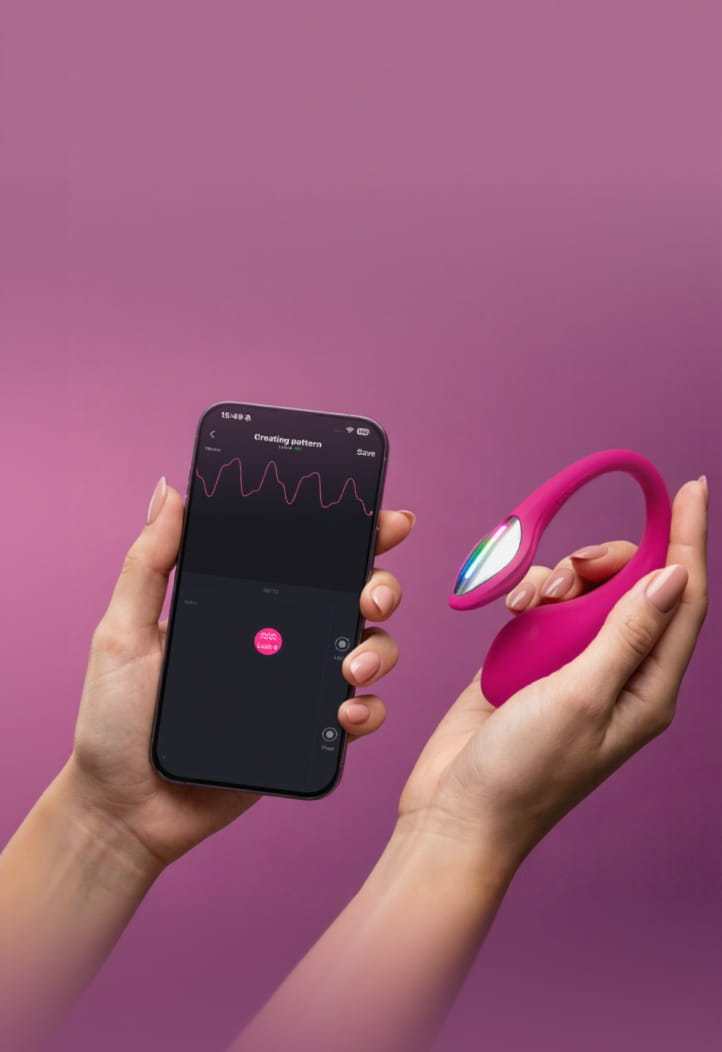
(Bad UI, Inconsistent Output, Saving Errors) A lot of brands brag about “create your own patterns,” but the editors are often messy, unresponsive, and barely functional.
Why pattern editors suck:
- They’re tacked on as a marketing bullet point
- Tiny sliders or waveform editors make precision impossible
- The app lags when rendering complex patterns
- Sometimes patterns don’t save or sync properly
- The toy hardware can’t render the pattern smoothly anyway
What helps
- Use pre-made patterns when the editor is too frustrating
- Look for toy reviews that show screenshots of the editor before you buy
- Simplify custom patterns to reduce lag
Well-built editors exist — but they’re rare.
19. Internet Always Required
You’re literally sitting next to the toy, trying to connect via Bluetooth… and the app refuses to open until it checks in with the server. This isn’t always an ‘error’. Sometimes it’s by design, but it can still be annoying.
Why:
- Some apps require login verification every time
- They fetch settings or permissions from the server on launch
- Analytics or ads load on startup
- The app wasn’t designed with offline use in mind
- The brand wants usage data
It’s annoying but increasingly common.
What helps
- Log in once while online, then try switching to airplane mode
- Bookmark the app’s “offline mode” instructions (if they exist)
- If your Wi-Fi goes out a lot, consider a toy with guaranteed local-only modes
- Before you buy, check the specifications or contact the brand/seller
20. Server Shutdown Risks
This is the issue nobody thinks about until it’s too late. If the company shuts down or kills the app, a long-distance vibrator loses:
- Partner control
- Sync-to-video
- Account linking
- Pattern sharing
- Cloud-stored patterns
It becomes a basic vibrator — if you’re lucky.
Why this happens:
- Companies get bought
- Apps get discontinued
- Servers get too expensive to maintain
- They stop supporting older toys
What helps
- Choose toys with strong local control options, this means that you can still use the toy not matter what
- Avoid brands with a history of abandoned apps
- Read reviews from long-term users, not just day-one testers
21. Notifications Interrupting Control
Everything’s going smoothly… then your phone gets a call, or a text alert pops up, and suddenly the toy lags or disconnects.
Why:
- Phones prioritize calls over Bluetooth
- Notification-heavy apps steal processing time
- Vibrator apps often don’t have “high priority” mode
- Bluetooth commands queue up and drop when interrupted
What helps
- Turn on Do Not Disturb during sessions
- Disable app notifications for high-spam apps
- Keep the vibrator app in the foreground
This is one of the easiest issues to fix.
22. Forced App Updates at Bad Times
It’s date night. You open the app. And it says: “Update required to continue.” And the update is 400MB.
Why brands force updates:
- New security rules require sync with server
- They’re patching critical bugs
- They want users on the same protocol
- They’ve changed terms of service
What helps
- Open the app earlier in the day to check for updates
- Don’t wait until your partner is calling
- Keep auto-updates ON when you trust the brand
- Keep them OFF when the brand has a history of breaking stuff
23. Sound Level Spikes
Sometimes the toy suddenly gets louder on certain patterns or intensities.
Why:
- Motor strain on certain frequencies
- Uneven power delivery when battery is half-full
- Firmware not smoothing transitions
- Pattern designer didn’t test real-world sound levels
What helps
- Charge fully — low batteries get noisier
- Avoid “spiky” patterns in public
- Test noise at home before wearing the toy out
If the toy is loud on ALL settings, that’s a hardware limitation, not a fixable one.
24. Broken Charging Ports
(Loose Magnets, Bent Pins, Cable Failures) This is extremely common, especially with magnetic chargers.
Why ports fail:
- Wet toys create corrosion on metal pins
- Cheap magnets detach easily
- The cable disconnects mid-charge
- Proprietary chargers break and replacements are expensive
- Silicone shells pull against connectors over time
What helps
- Always dry toy completely before charging
- Don’t charge by letting the toy “hang” from the cable
- Store the cable neatly; consider buying a backup
- Use USB-C toys when possible (more brands are switching)
25. Overly Complicated Apps
(Too Many Steps, Bad UX, Mood-Killers) You open the app and immediately need to tap through:
- Toy selection
- Connection screen
- Pattern selection
- Intensity slider
- Partner invitation
- Permissions
By the time you’re done, the moment has evaporated.
Why apps are so complicated:
- Brands keep adding features without fixing navigation
- Menus get overflowing
- UX designers overthink the layout
- Too many modes: local, long-distance, video, patterns, music, etc.
- Options are buried 3–5 taps deep
What helps
- Learn the quickest route to “start vibration”
- Favorite your go-to patterns
- Test things during the day, not during the date
- Next time you buy, pick a brand known for simple UX in reviews
Brand Responsibility Checklist
Not all sex-tech companies operate the same way. Some invest in real engineering and long-term support, while others outsource everything and hope for the best. If you want fewer headaches and fewer “why is my vibrator not connecting?” moments, here are the things to look for in a brand — plus how Lovense measures up.
| What a Good Brand Should Have | Why It Matters |
|---|---|
| In-house development team | Bugs get fixed faster, updates roll out sooner, and the app actually improves instead of stagnating. |
| Active server monitoring | Keeps long-distance features stable and prevents surprise outages. |
| Clear explanations for app permissions | Users understand why location, camera, or mic access is requested. Builds trust. |
| Frequent app updates | Ensures compatibility with new iOS/Android versions and improves stability over time. |
| Warranty for hardware defects | Protects you if motors, batteries, or charging ports fail. |
| Offline/local control modes | The toy still works even if your internet doesn’t — a lifesaver for travel. |
| Transparent update changelogs | Users can see what changed, what was fixed, and what was improved. |
Final Thoughts on App-Controlled Vibrator Problems
Before you buy any app-controlled vibrator, it helps to go in with your eyes open. Read reviews, ask questions, look at how the app actually works, and check whether the brand keeps its software updated. Every piece of tech on the planet has its quirks, and smart vibrators are no exception. Some toys run perfectly for years. Others might hit a snag once, then behave themselves forever. And some issues only show up with certain phones, certain networks, or very specific situations.
And hey — we’d be remiss if we didn’t toot our own horn just a little.
Lovense toys aren’t magically immune to tech gremlins. No company is. But we are one of the few sex-tech brands with a full-time, in-house team of programmers, app developers, and hardware engineers. That means bugs and server issues don’t sit in some outsourced queue for weeks. A real team works on them, fixes them, and pushes updates quickly.
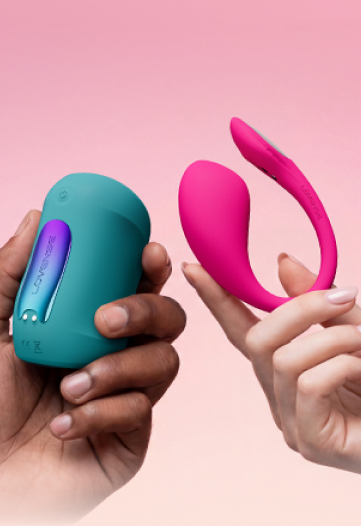
Lovense Wearable Toys – Pleasure That Moves With You

- Designed for all bodies
- Perfect for hands-free solo play or partner-controlled sessions
- Quiet operation and secure fit
- Real-time control, sync music, and long-distance fun
App-Controlled Vibrators – Total Remote Pleasure

- App-controlled vibrators for all play styles—solo, couples, public, or remote.
- Real-time control and programmable options
- Ideal for long-distance relationships, camming, or power-exchange dynamics
Lovense Ecosystem
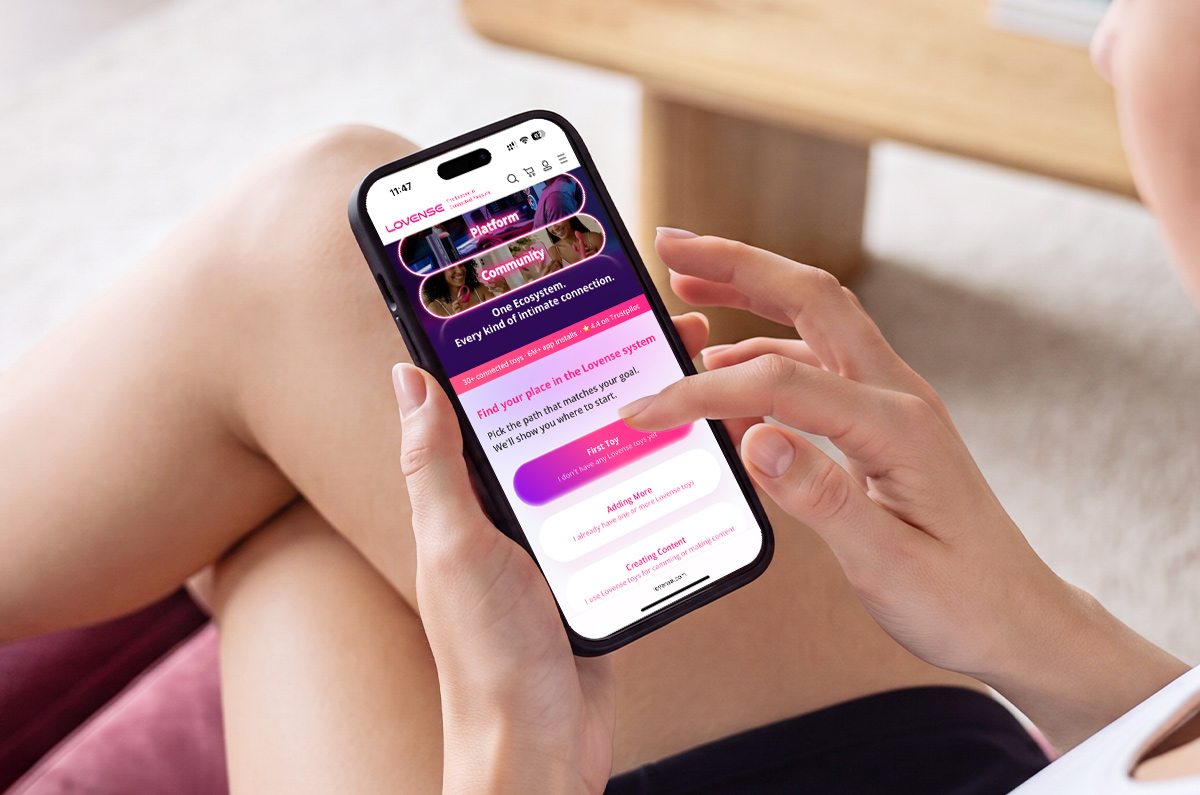
A Lovense toy can be more than a single device. With the free Lovense Remote App, you can control your toy from your phone, connect with a partner from anywhere, create custom patterns, or explore interactive features like music sync, sound control, long-distance play, and compatible content.
Lovense also works across a wider connected pleasure ecosystem, including supported games, videos, livestreams, creator tools, and community spaces. Whether you are choosing your first toy, adding to your collection, exploring couple’s play, or looking for more interactive ways to enjoy your device, the Lovense ecosystem gives you more ways to personalize the experience.
Want More Reads?
- Best App-Controlled Strokers in 2025: Upgrade Your OS (Orgasm System)
- 20 Orgasmic Sex Toy Games: App-Controlled Fun to Spice Up Your Play
- Best Remote Control Vibrators with App: How to Choose Yours